Gérer les cookies utilisés pour la publicité, tels que la personnalisation des annonces, le remarketing et l’analyse des performances des annonces.
4.3.7.2. Set up Gmail mail client (Android/iOS)
The screenshots in this instruction are taken on Android. The app setup on iOS is similar.
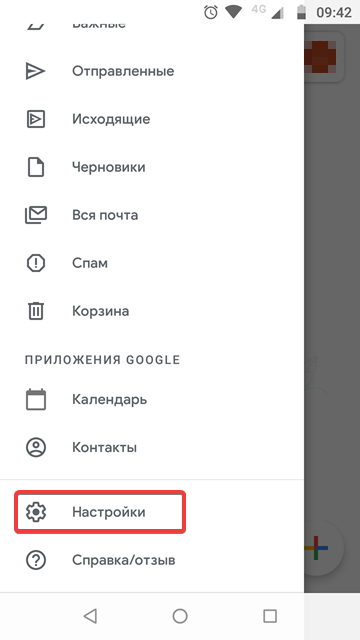
- Open the settings from the main menu:
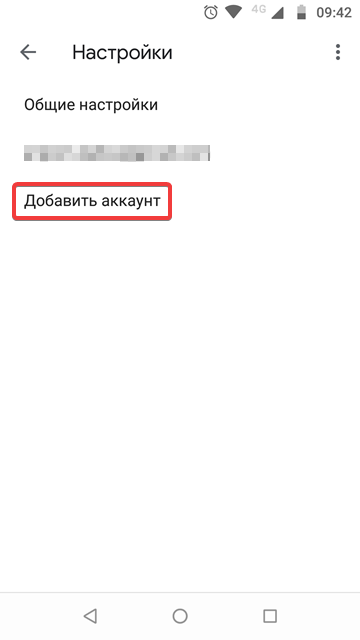
- Click "Add account":
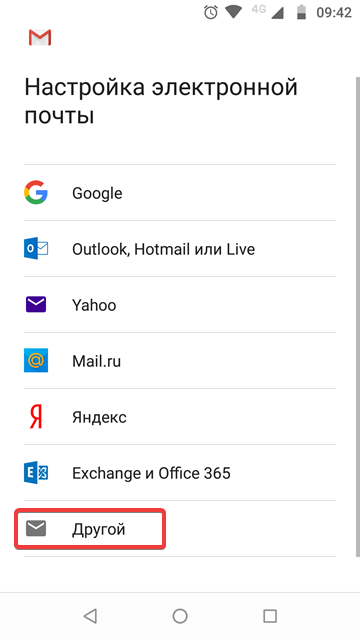
- Select "Other":
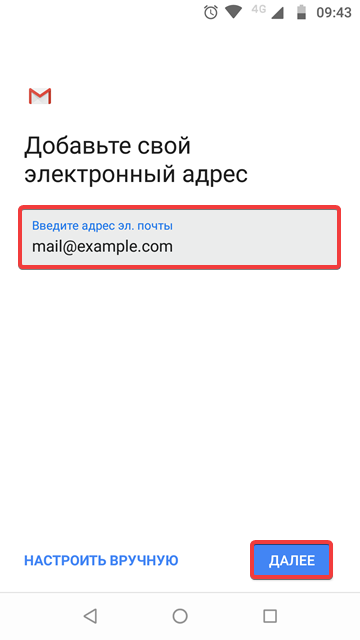
- Enter the mailbox name and click "Next":
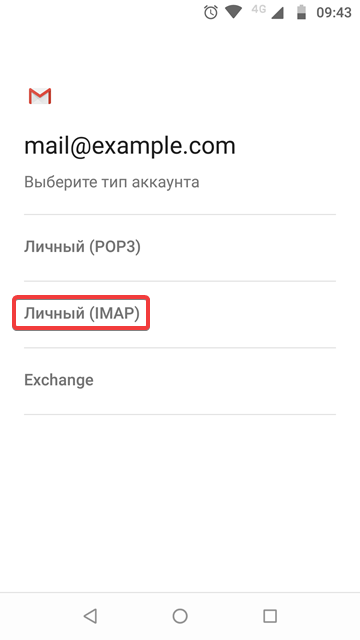
- Select "Personal (IMAP)":
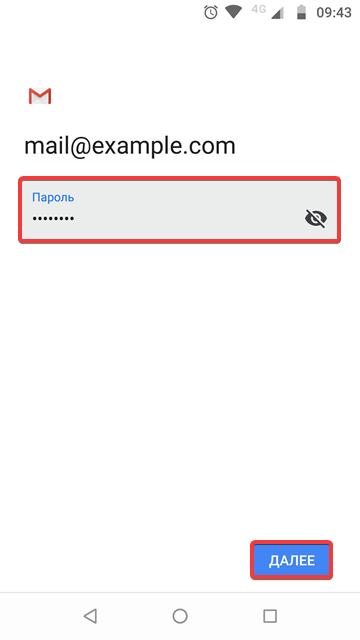
- Enter your mailbox password and click "Next":
- Make sure the email address and password are entered correctly, enter
mail.adm.toolsin the "Server" field, and click "Next":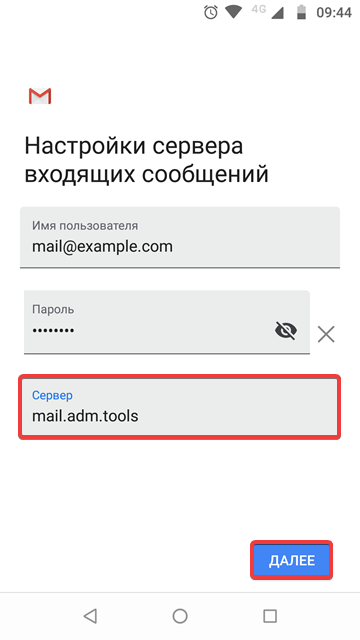
- Make sure the email address and password are entered correctly, enter
mail.adm.toolsin the "SMTP server" field, and click "Next":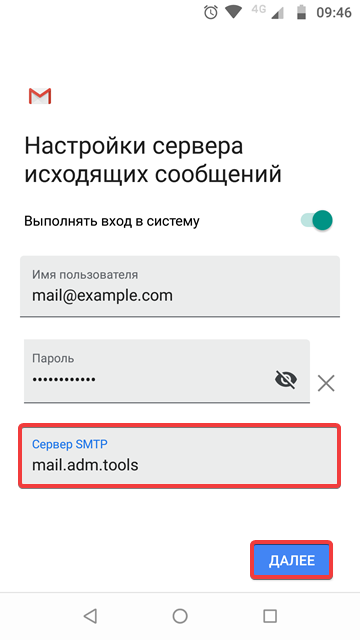
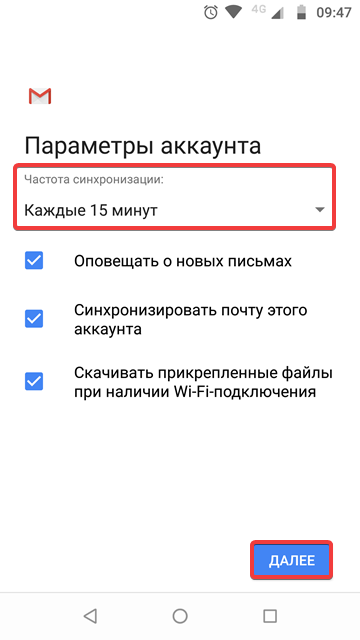
- Optional Select the sync frequency and other settings, then click "Next":
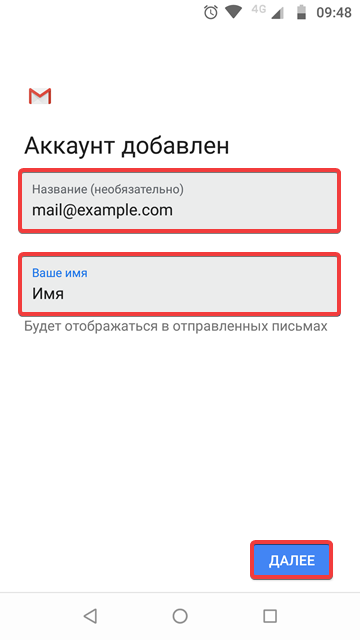
- Enter the account name that will appear in the list of accounts in Gmail and the name that will appear in the messages you send, then click "Next":
- Check the mail operation.