Gérer les cookies utilisés pour la publicité, tels que la personnalisation des annonces, le remarketing et l’analyse des performances des annonces.
2.14.2.6. Change administrator password in Joomla!
Attention!
The current administrator password cannot be retrieved because it is not stored on the site in plain text — only its hash is stored. The password can only be changed to a new one.The administrator password can be changed through the control panel or directly via the <g>database</g>.
- Open the "CMS install" section.
- Click "Reset password":

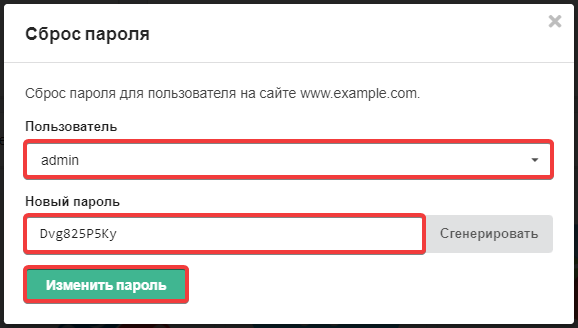
- Select the user, specify the new password, and click "Change password":
- In the configuration file of the site, check the name of the database to which it is connected.
- Open database in phpMyAdmin.
- Execute the following SQL query (replace
new_password,jos_,adminwith your own data):UPDATE `jos_users` SET `password` = MD5('new_password') WHERE `username` = 'admin'; - Check the login to the admin panel.
(2)